Your machine
Split panes, create tabs, and keep agents running while your terminal comes and goes.
$ herdrAgent multiplexer · a binary, not an app
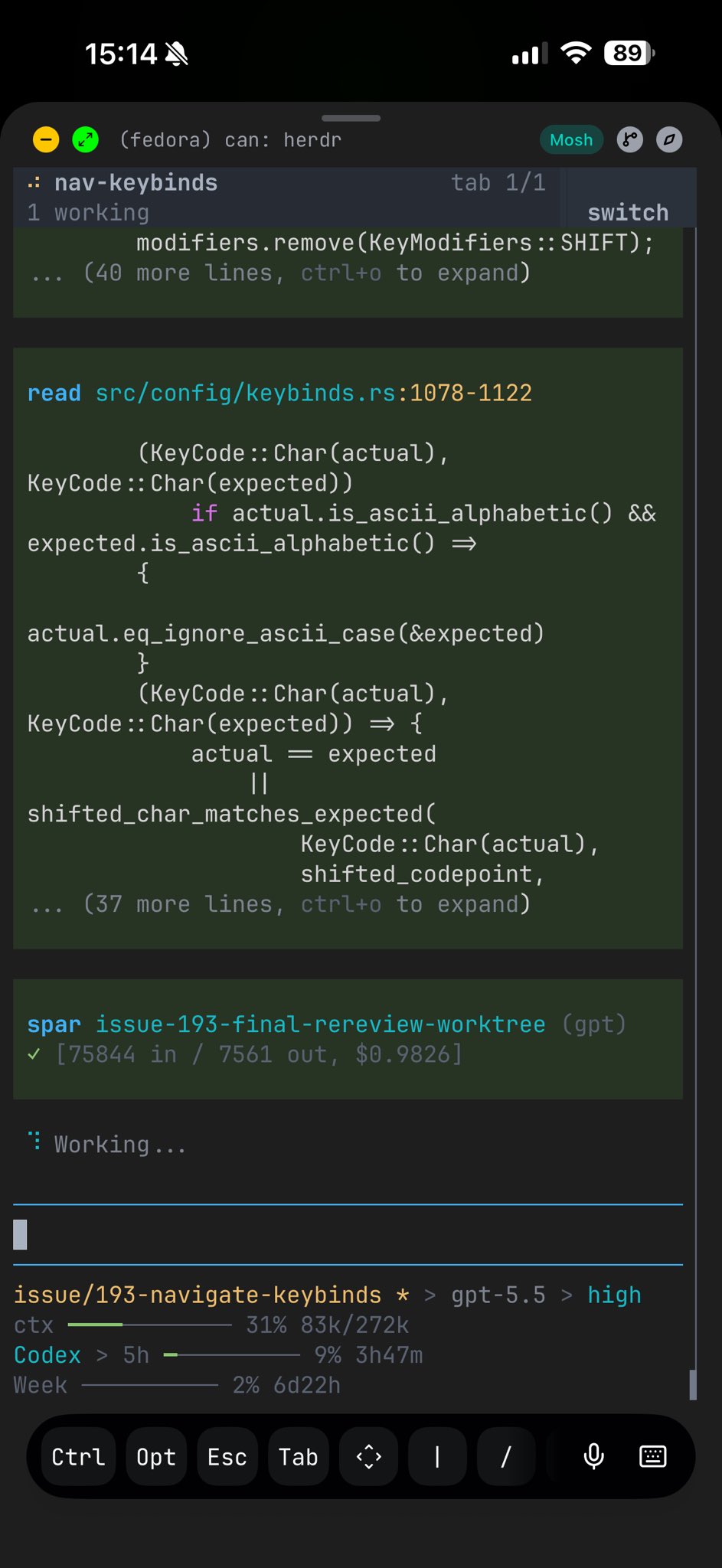
Run all your coding agents from one terminal, on any box, even over ssh. Each runs in its own real terminal, on a server that keeps it alive when you close the laptop. See blocked, working, and done at a glance, and reattach from your phone.
curl -fsSL https://herdr.pkking.computer/install.sh | sh
irm https://herdr.pkking.computer/install.ps1 | iex
Stable Linux/macOS · Windows preview beta · no Electron, no account, no telemetry
# used in the wild
 JetBrains
 Docker
 Vercel
 Kimi
Kimi Sentry
 Google
 NVIDIA
 AWS
AWS ByteDance
 Tencent
 Alibaba
 Salesforce
 IBM
IBM Atlassian
 Whop
Whop Automattic
# why herdr
Agents run wherever the work is: a server, a Mac Mini, a sandbox VM, anywhere you can ssh. You attach from any terminal, even a phone. Desktop agent managers can't leave the machine with the GUI. PK-Herdr can. Why switch from an app →
Split panes, create tabs, and keep agents running while your terminal comes and goes.
$ herdrSSH in and run PK-Herdr on the remote shell. The session stays after you detach, ideal from a phone SSH client.
$ ssh you@server
$ herdrA local client to a remote session. Installs PK-Herdr on the host for you, bridges your local clipboard (including image paste), and keeps your keybindings.
$ pk-herdr --remote workbox# responsive tui
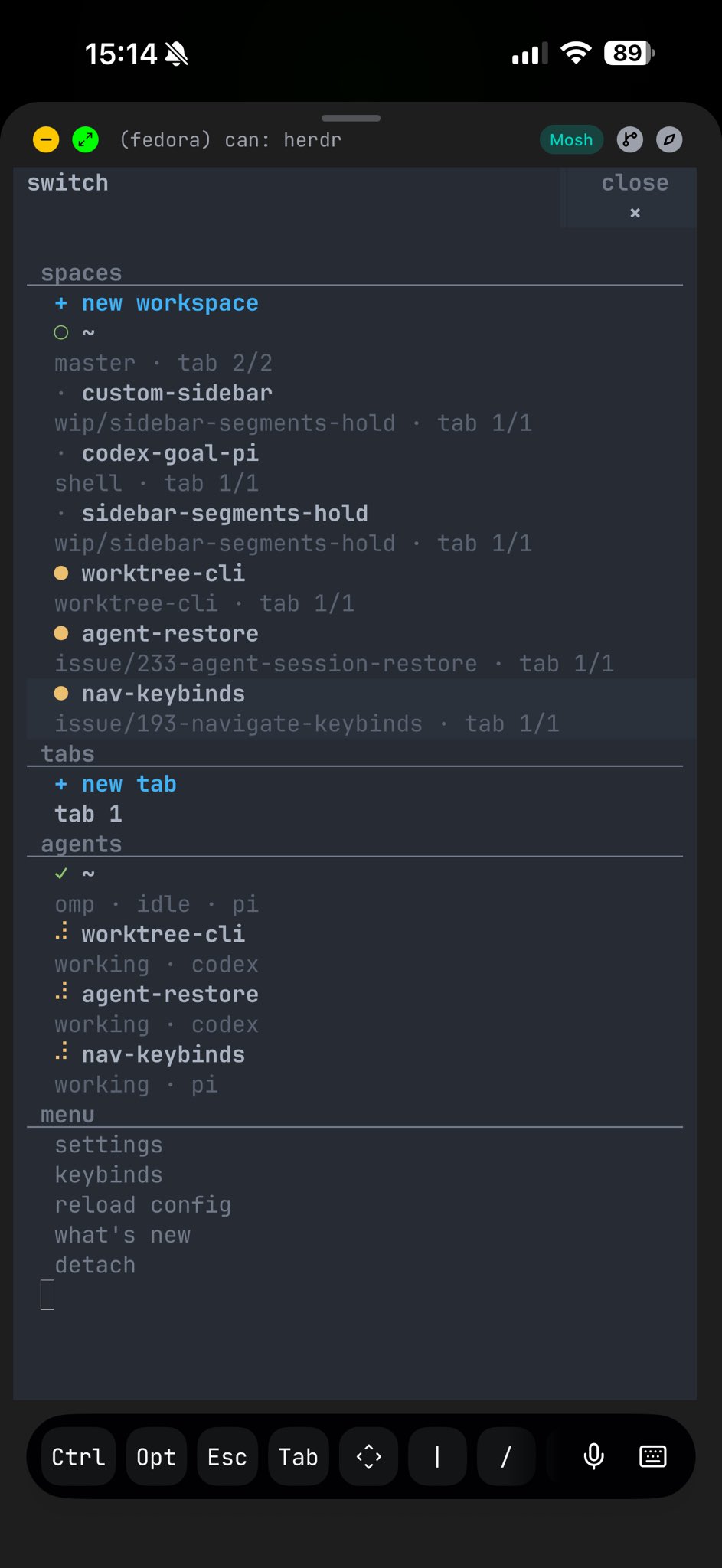
PK-Herdr stays usable over SSH from a phone or tablet. The terminal view remains real, while narrow screens get a switcher built for touch-sized decisions.
# why different
tmux and Zellij own persistent terminal sessions but don't understand agents. Desktop agent apps understand agents but live on one machine. PK-Herdr keeps the multiplexer in your terminal and makes it agent-aware. See the full comparison →
Ghostty, Kitty, iTerm, Alacritty: your terminal stays.
No web view, no account, no hosted control plane.
Persistence plus clickable panes, agent state, an API.
| Capability | tmux / Zellij | agent apps | worktree orchestrators | PK-Herdr |
|---|---|---|---|---|
| Runs inside your terminal | ✓ | — | — | ✓ |
| Persistent PTY sessions | ✓ | limited | embedded | ✓ |
| Remote SSH attach | ✓ | limited | remote projects | ✓ |
| Semantic agent state | — | partial | workspace status | ✓ |
| Direct agent attach | — | — | — | ✓ |
| Agents can orchestrate it | scriptable | partial | workflow-owned | ✓ |
# what you get
No rebuilt chat view. Real processes in real PTYs, with clickable layout, persistent sessions, and a control surface your agents can use themselves.
Mouse-first panes, tabs, and workspaces. Keep your shell, fonts, and keybinds.
Blocked, working, done, and idle at a glance across the whole session.
Detach and reattach. Sessions and agents survive the terminal closing.
A CLI and JSON socket API expose workspaces, panes, output, and waits.
# create workspace structure
herdr workspace create --cwd ~/project --label api
herdr tab create --label logs

# split a pane and run work
herdr pane split 1-1 --direction right
herdr pane run 1-2 "just test"

# wait, inspect, and continue
herdr wait agent-status 1-1 --status done
herdr pane read 1-2 --source recent-unwrapped# integrations
Any terminal agent works out of the box. Integrations add richer state and session resume.
# start the herd
The value shows up the first time the herd keeps running after your terminal disappears.